Browser-based ordering
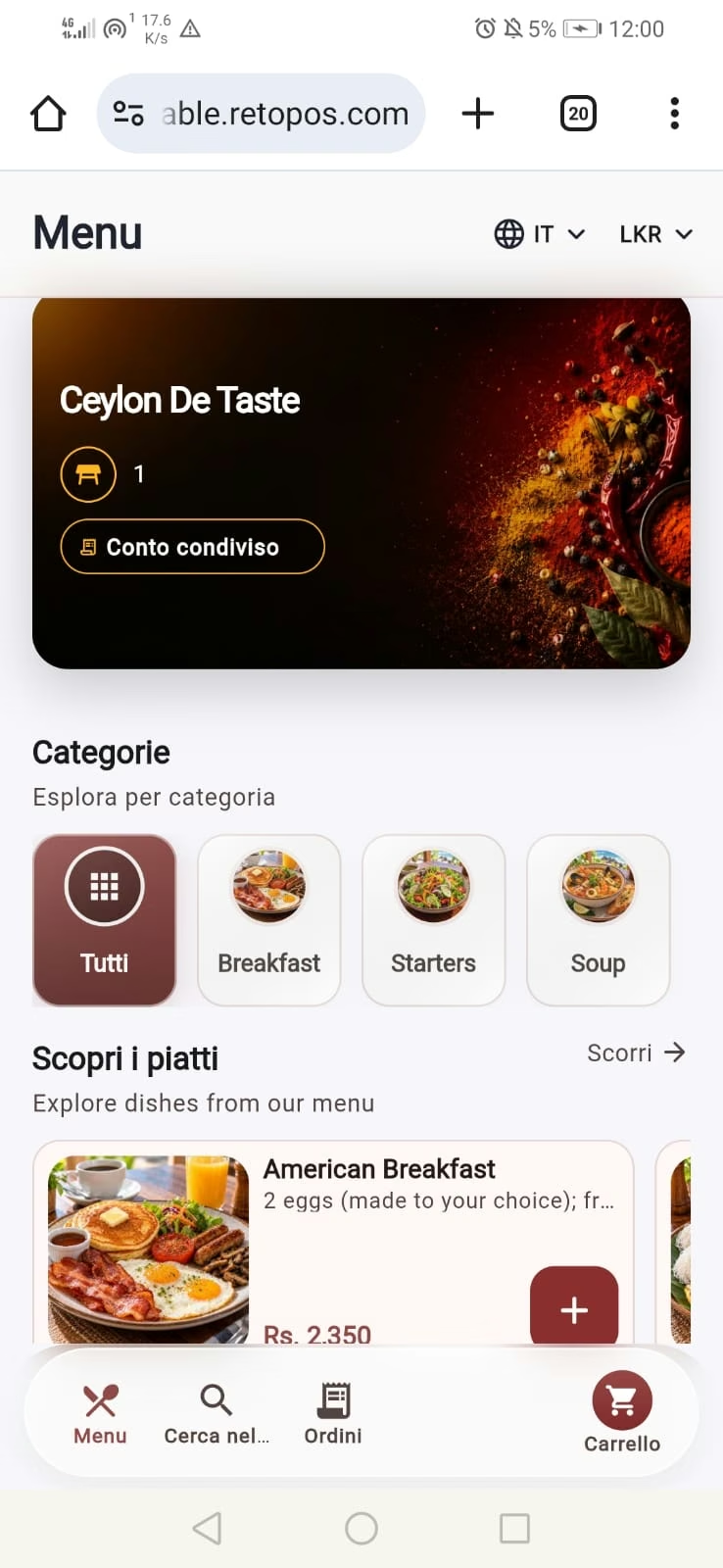
Guests open the menu from a QR code using a modern phone browser, without downloading or registering for another consumer app.
 Retopos
QR code ordering
Guests scan, browse, order, reorder, and request service from their own phone—while every item enters the same Retopos restaurant and kitchen workflow.
More than a digital menu
Avoid isolated online orders. Retopos keeps the guest experience connected to menu data, table context, preparation screens, waiter service, and management visibility.
Guests open the menu from a QR code using a modern phone browser, without downloading or registering for another consumer app.
Each code can preserve table context so staff know where an order or service request originated.
Present items and available options in a focused ordering interface designed for quick decisions at the table.
Send submitted items into the connected restaurant workflow so the appropriate preparation team can begin work.
Let guests add another round or ask for service without waiting to attract a staff member’s attention.
Keep guest-originated orders visible alongside waiter and cashier orders for a complete view of restaurant activity.
A connected experience
QR ordering removes avoidable waiting, but hospitality still depends on attentive people. Retopos keeps guest actions visible to the team so digital ordering supports service instead of separating it.
How QR ordering works
The guest points their phone camera at the QR code and opens the linked restaurant menu.
They review available items, select options, and build an order without waiting for a printed menu.
The order enters the Retopos workflow with its table details and routes to the appropriate team.
The guest can return to the table experience to add items or request staff attention.
Useful across hospitality
Reduce menu handoffs and waiting while keeping orders attached to the correct dining table.
Give returning guests a fast path to another drink, snack, or service request during their visit.
Adapt the same browser-based approach for room-service ordering and hotel guest requests.
QR ordering questions
No. The table ordering experience opens in a supported web browser after the guest scans the QR code.
The QR link can carry the table context, allowing the submitted order or service request to identify its origin.
Yes. Guests can return to the table ordering experience to browse again, add items, or request service.
QR orders enter the connected Retopos operational flow so teams can manage them alongside orders created by staff.
Add browser-based QR ordering to a restaurant workflow built for tables, waiters, kitchens, cashiers, and managers.